Head to head · 20 specs differ
Netgear Nighthawk RS200 vs RS300
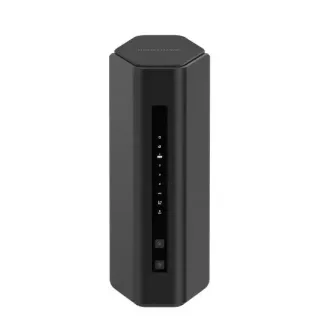
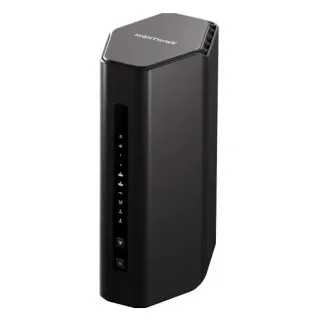
The short answer
Buy the RS300 if you own Wi-Fi 6E or Wi-Fi 7 devices that can use 6 GHz — a recent phone, laptop, or headset. It adds a 6 GHz radio the RS200 does not have, and a third 2.5 Gbps port. Buy the RS200 if your devices are Wi-Fi 6 or older, because its 5 GHz radio is four-stream against the RS300's two, which makes it roughly twice as fast on the band those devices will actually connect to. That is the part neither model number tells you: stepping up the ladder here adds a band and halves another one, so $70 more can buy you a slower router on the radio you use. Check what your devices support before you choose, because nothing else separates these two by much.
| Specification | NetgearNighthawk RS200 | NetgearNighthawk RS300 |
|---|---|---|
| Price | ||
| Starting price | $229.99 | $299.99 |
| Wi-Fi | ||
| Wi-Fi standard | Wi-Fi 7 | Wi-Fi 7 |
| Bands | Dual-band | Tri-band |
| Speed class | BE6500 | BE9300 |
| All bands combined | 6,500 Mbps | 9,335 Mbps |
| Available to clients | 6,500 Mbps | 9,335 Mbpshigher |
| Fastest single band | 5,800 Mbps | 5,765 Mbps |
| Radios | ||
| 2.4 GHz | 700 Mbps2 streams · 40 MHz | 688 Mbps2 streams · 40 MHz |
| 5 GHz | 5,800 Mbpshigher4 streams · 160 MHz | 2,882 Mbps2 streams · 160 MHz |
| 6 GHz | — | 5,765 Mbps2 streams · 320 MHz |
| Wired & ports | ||
| Internet (WAN) port | 2.5 Gbps | 2.5 Gbps |
| 2.5 Gigabit ports | 2 | 3higher |
| Gigabit ports | 3higher | 2 |
| USB ports | 1 | 1 |
| Uplink & power | ||
| Ethernet WAN | Yes | Yes |
| Processor & build | ||
| Weight | 679 g | 950 g |
| Dimensions | 249 × 150 × 101.6 mm | 249 × 150 × 101.6 mm |
| Volume | 3,795 | 3,795 |
| Processor | Quad-core 2.0 GHz | Quad-core 2.0 GHz |
| Memory | — | 2 GB |
| Storage | — | 512 MB |
| Antennas | — | 4 |
| Features | ||
| Firmware | ||
| Automatic firmware updates | Yes | Yes |
| Wi-Fi features | ||
OFDMAWhat is OFDMA?Table stakes50 of 79 listed here Splits a channel into smaller slices so several devices are served in the same instant instead of taking turns. Look at instead: streams per radio and channel width — those set the ceiling OFDMA divides up Full entry → | — | Yes |
MU-MIMOWhat is MU-MIMO?Table stakes46 of 79 listed here Lets the router hold separate conversations with several devices at once using different antenna streams. Look at instead: the stream count on each radio — a 4×4 radio has twice the streams of a 2×2 to hand out Full entry → | — | Yes |
320 MHz channelsWhat is 320 MHz channels?Worth comparing23 of 79 listed here Wi-Fi 7's double-again channel width, available only on 6 GHz, where there is finally enough spectrum to fit it. Look at instead: whether you own 6 GHz devices, and whether they will be in the same room as the router Full entry → | No | Yes |
| Networking | ||
| Link aggregation | — | Yes |
| Security | ||
| WPA3 | Yes | Yes |
| Built-in threat protection | Yes | Yes |
| Management | ||
| Guest network | Yes | Yes |
| Mobile app management | — | Yes |
| Traffic monitoring | — | Yes |
| Hardware | ||
| USB storage sharing | No | Yes |
| About | ||
| Type | Router | Router |
— means the manufacturer doesn’t publish that figure. In the features rows it means the feature isn’t listed — not that the product lacks it. A No is an absence we checked.
The step up halves a radio
Netgear's naming says BE6500 against BE9300, and a bigger number after the same two letters reads as more of everything. Here it is not.
The RS200's 5 GHz radio is four-stream. The RS300's is two-stream. On the same 160 MHz channels, that is 5800 Mbps against 2882 — the RS300's 5 GHz radio is roughly half its cheaper sibling's.
What the RS300 adds is a 6 GHz radio at 5765 Mbps, which the RS200 does not have at all. Netgear spent the stream budget differently rather than adding to it: a second band at two streams instead of one band at four. Total goes up, because a band you didn't have counts for more than streams you lost. Whether that is an upgrade for you depends on a single question.
The question is what your devices support
6 GHz is a Wi-Fi 6E and Wi-Fi 7 band. A device older than that cannot see it, and no firmware update changes that — it is a radio, not a feature.
- If your phones and laptops are Wi-Fi 6E or Wi-Fi 7, the RS300's 6 GHz radio is the fastest, cleanest connection in your house, and it is the reason to buy this router. The halved 5 GHz radio matters less because your newest devices will not be on it.
- If your devices are Wi-Fi 6, Wi-Fi 5, or older — which in most houses is still most of them — they will all land on 5 GHz, and the RS200 gives them twice the radio for $70 less. The RS300's 6 GHz band sits unused.
That is an unusually clean decision rule for a router comparison, and it does not appear anywhere in either product's marketing.
A note on Netgear's own numbers
Netgear's RS200-versus-RS300 comparison page lists both routers as "5 GHz (2x2)". That cannot be right for the RS200. A two-stream 5 GHz radio at 160 MHz tops out near 2882 Mbps, which with the RS200's 688 Mbps 2.4 GHz radio would total about 3570 — a BE3600 router, which is what Netgear calls the RS100. The BE6500 rating on the box is only reachable with a four-stream 5 GHz radio, and independent testing measures exactly that, at 4×4 and up to 5762 Mbps.
We have used the four-stream figure because the speed class Netgear prints on the box requires it. If you want to confirm before buying, the router's own status page will report the link rate your device negotiated.
What else differs, and what does not
The RS300 has three 2.5 Gbps ports to the RS200's two, so after the WAN port it gives you two multi-gig LAN ports instead of one. If you have a NAS and a desktop you want on 2.5 Gbps at the same time, that is the difference.
The RS300 also has a USB 3.0 port for storage sharing and link aggregation; the RS200 has no USB port at all, so the storage feature is structurally absent rather than merely unlisted. Both are marked as verified absences in the table rather than left blank.
Otherwise they are the same router. Same 2.5 Gbps WAN. Same quad-core 2.0 GHz CPU. Same 2500 sq ft coverage claim. Same WPA3 and the same Netgear Armor security subscription, which ships as a 30-day trial on both and then costs around $100 a year.
Read the rest of the feature rows carefully. The RS200 lists four features and the RS300 lists eleven, and that gap is mostly documentation, not hardware. Netgear publishes noticeably less detail for the RS200, and capabilities like MU-MIMO and OFDMA are part of the Wi-Fi 7 specification both routers are certified against. A blank cell here means Netgear did not state it, not that the RS200 lacks it.
The honest recommendation
Most people buying in this bracket should check their laptop's Wi-Fi adapter before spending the extra $70, because that one fact decides it.
Buy the RS300 when you have 6 GHz clients, or when you want the third 2.5 Gbps port and the USB. Buy the RS200 when you don't, and enjoy the faster 5 GHz radio and the $70. What you should not do is assume the higher number is the better router — on the band most homes still run on, it is measurably the slower one.