Head to head · 11 specs differ
Netgear Nighthawk RS300 vs RS500
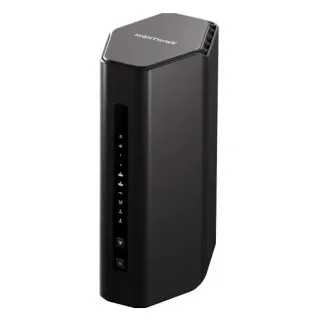
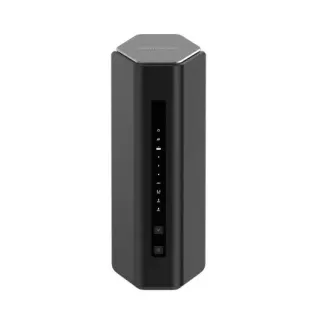
The short answer
Buy the RS500 if your devices connect over Wi-Fi. Its 5 GHz radio is four-stream against the RS300's two — 5764 Mbps against 2882 — and that is the band most of your hardware will sit on. Buy the RS300 if you wire things up, because it has three 2.5 Gbps ports to the RS500's two, so after the WAN port it leaves you two multi-gig LAN ports instead of one. That is the trade in full: $100 doubles a radio and costs you a multi-gig port. The 6 GHz radios are identical at 5765 Mbps, the 2.4 GHz radios are identical, the WAN ports are both 2.5 Gbps, and the feature lists match item for item, so nothing else should sway you.
| Specification | NetgearNighthawk RS300 | NetgearNighthawk RS500 |
|---|---|---|
| Price | ||
| Starting price | $299.99 | $399.99 |
| Wi-Fi | ||
| Wi-Fi standard | Wi-Fi 7 | Wi-Fi 7 |
| Bands | Tri-band | Tri-band |
| Speed class | BE9300 | BE12000 |
| All bands combined | 9,335 Mbps | 12,217 Mbps |
| Available to clients | 9,335 Mbps | 12,217 Mbpshigher |
| Fastest single band | 5,765 Mbps | 5,765 Mbps |
| Radios | ||
| 2.4 GHz | 688 Mbps2 streams · 40 MHz | 688 Mbps2 streams · 40 MHz |
| 5 GHz | 2,882 Mbps2 streams · 160 MHz | 5,764 Mbpshigher4 streams · 160 MHz |
| 6 GHz | 5,765 Mbps2 streams · 320 MHz | 5,765 Mbps2 streams · 320 MHz |
| Wired & ports | ||
| Internet (WAN) port | 2.5 Gbps | 2.5 Gbps |
| 2.5 Gigabit ports | 3higher | 2 |
| Gigabit ports | 2 | 3higher |
| USB ports | 1 | 1 |
| Uplink & power | ||
| Ethernet WAN | Yes | Yes |
| Processor & build | ||
| Weight | 950 g | 967 g |
| Dimensions | 249 × 150 × 101.6 mm | 249 × 150 × 101.6 mm |
| Volume | 3,795 | 3,795 |
| Processor | Quad-core 2.0 GHz | Quad-core 2.0 GHz |
| Memory | 2 GB | — |
| Storage | 512 MB | — |
| Antennas | 4 | 6 |
| Features | ||
| Firmware | ||
| Automatic firmware updates | Yes | Yes |
| Wi-Fi features | ||
OFDMAWhat is OFDMA?Table stakes50 of 79 listed here Splits a channel into smaller slices so several devices are served in the same instant instead of taking turns. Look at instead: streams per radio and channel width — those set the ceiling OFDMA divides up Full entry → | Yes | Yes |
MU-MIMOWhat is MU-MIMO?Table stakes46 of 79 listed here Lets the router hold separate conversations with several devices at once using different antenna streams. Look at instead: the stream count on each radio — a 4×4 radio has twice the streams of a 2×2 to hand out Full entry → | Yes | Yes |
320 MHz channelsWhat is 320 MHz channels?Worth comparing23 of 79 listed here Wi-Fi 7's double-again channel width, available only on 6 GHz, where there is finally enough spectrum to fit it. Look at instead: whether you own 6 GHz devices, and whether they will be in the same room as the router Full entry → | Yes | Yes |
| Networking | ||
| Link aggregation | Yes | Yes |
| Security | ||
| WPA3 | Yes | Yes |
| Built-in threat protection | Yes | Yes |
| Management | ||
| Guest network | Yes | Yes |
| Mobile app management | Yes | Yes |
| Traffic monitoring | Yes | Yes |
| Hardware | ||
| USB storage sharing | Yes | Yes |
| About | ||
| Type | Router | Router |
The 5 GHz radio doubles
This is the rung of the Nighthawk RS ladder where 5 GHz gets its streams back.
The RS300 runs two streams on 5 GHz, at 2882 Mbps. The RS500 runs four, at 5764. Same 160 MHz channels, twice the radio.
That matters because 5 GHz is where the majority of a normal household's hardware actually connects. Anything from before Wi-Fi 6E cannot use 6 GHz at all, and 2.4 GHz is for range rather than speed. If you are buying for wireless performance, this is the row to read.
The 6 GHz radios are identical: 5765 Mbps at two streams on both. So the extra $100 buys nothing at all on the band Netgear markets hardest. The BE9300-to-BE12000 gap is entirely the 5 GHz change.
And a 2.5 Gbps port disappears
Climbing this ladder costs you multi-gig ports, which is the opposite of what the prices suggest.
- RS300: three 2.5 Gbps ports, two gigabit.
- RS500: two 2.5 Gbps ports, three gigabit.
Both use one 2.5 Gbps port for the WAN, so what you really have is two multi-gig LAN ports on the cheaper router and one on the dearer one. If you want a NAS and a desktop both on 2.5 Gbps, the RS300 does it and the RS500 does not.
This is worth checking against your actual setup before deciding, because it is the kind of difference that is invisible until the day you need the port and find a gigabit one.
What else moves
The RS500 claims 3,000 sq ft to the RS300's 2,500, and carries six antennas to four. Coverage claims are marketing arithmetic rather than measurements, but the antenna count is real and points the same way: the RS500 is built to throw a signal further, which is consistent with the four-stream 5 GHz radio.
The RS300's hardware row lists 2 GB of RAM; Netgear does not publish a figure for the RS500. Read that as unstated, not as less — Netgear documents this line unevenly, and the absence of a number is not the presence of a smaller one.
Everything else is the same. Same 2.5 Gbps WAN. Same quad-core 2.0 GHz CPU. Same USB 3.0 port, same link aggregation, same MU-MIMO, OFDMA and 320 MHz channels, same Netgear Armor trial and the same roughly $100 a year afterwards. The feature lists are identical item for item.
The honest recommendation
Ask one question: are your bottlenecks wireless or wired?
If they are wireless — a laptop that streams or transfers over Wi-Fi, several devices busy at once — take the RS500 and the doubled 5 GHz radio. If they are wired — a NAS, a desktop, a multi-gig switch feeding another room — take the RS300, keep the second 2.5 Gbps LAN port, and keep the $100.
What the model numbers imply, that BE12000 is simply more router than BE9300, is true on exactly one row and false on another. Neither is the better router outright.