Head to head · 13 specs differ
Netgear Nighthawk RS500 vs RS600
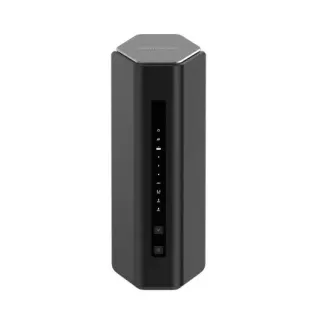
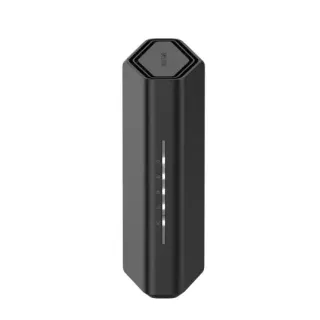
The short answer
Buy the RS600 if your internet connection is faster than 2.5 Gbps, or will be soon. It is the only step on this ladder where the WAN port changes class — 2.5 Gbps to 10 Gbps — and no amount of Wi-Fi makes up for a wired ceiling you have already passed. It also doubles the 6 GHz radio, from two streams to four. Buy the RS500 if your connection is 2.5 Gbps or slower, which covers almost every residential line: the 5 GHz radio, the 2.4 GHz radio, the CPU and the entire feature list are identical between these two, so you would be paying $100 for headroom on a port your ISP cannot fill. Check your plan before anything else — it decides this one on its own.
| Specification | NetgearNighthawk RS500 | NetgearNighthawk RS600 |
|---|---|---|
| Price | ||
| Starting price | $399.99 | $499.99 |
| Wi-Fi | ||
| Wi-Fi standard | Wi-Fi 7 | Wi-Fi 7 |
| Bands | Tri-band | Tri-band |
| Speed class | BE12000 | BE18000 |
| All bands combined | 12,217 Mbps | 17,981 Mbps |
| Available to clients | 12,217 Mbps | 17,981 Mbpshigher |
| Fastest single band | 5,765 Mbps | 11,529 Mbpshigher |
| Radios | ||
| 2.4 GHz | 688 Mbps2 streams · 40 MHz | 688 Mbps2 streams · 40 MHz |
| 5 GHz | 5,764 Mbps4 streams · 160 MHz | 5,764 Mbps4 streams · 160 MHz |
| 6 GHz | 5,765 Mbps2 streams · 320 MHz | 11,529 Mbpshigher4 streams · 320 MHz |
| Wired & ports | ||
| Internet (WAN) port | 2.5 Gbps | 10 Gbpshigher |
| 10 Gigabit ports | 0 | 2higher |
| 2.5 Gigabit ports | 2higher | 0 |
| Gigabit ports | 3 | 3 |
| USB ports | 1 | 1 |
| Uplink & power | ||
| Ethernet WAN | Yes | Yes |
| Processor & build | ||
| Weight | 967 g | 1,240 g |
| Dimensions | 249 × 150 × 101.6 mm | 257.5 × 150 × 101.6 mm |
| Volume | 3,795 | 3,924 |
| Processor | Quad-core 2.0 GHz | Quad-core 2.0 GHz |
| Antennas | 6 | 8 |
| Features | ||
| Firmware | ||
| Automatic firmware updates | Yes | Yes |
| Wi-Fi features | ||
OFDMAWhat is OFDMA?Table stakes50 of 79 listed here Splits a channel into smaller slices so several devices are served in the same instant instead of taking turns. Look at instead: streams per radio and channel width — those set the ceiling OFDMA divides up Full entry → | Yes | Yes |
MU-MIMOWhat is MU-MIMO?Table stakes46 of 79 listed here Lets the router hold separate conversations with several devices at once using different antenna streams. Look at instead: the stream count on each radio — a 4×4 radio has twice the streams of a 2×2 to hand out Full entry → | Yes | Yes |
320 MHz channelsWhat is 320 MHz channels?Worth comparing23 of 79 listed here Wi-Fi 7's double-again channel width, available only on 6 GHz, where there is finally enough spectrum to fit it. Look at instead: whether you own 6 GHz devices, and whether they will be in the same room as the router Full entry → | Yes | Yes |
| Networking | ||
| Link aggregation | Yes | Yes |
| Security | ||
| WPA3 | Yes | Yes |
| Built-in threat protection | Yes | Yes |
| Management | ||
| Guest network | Yes | Yes |
| Mobile app management | Yes | Yes |
| Traffic monitoring | Yes | Yes |
| Hardware | ||
| USB storage sharing | Yes | Yes |
| About | ||
| Type | Router | Router |
The WAN port changes class
Every other step on this ladder moves radios around. This one moves the wire.
The RS500's internet port is 2.5 Gbps. The RS600's is 10 Gbps. That is the single most consequential difference anywhere in the Nighthawk RS line, because a WAN port is a hard ceiling: no radio, feature, or firmware update routes more traffic into the house than the port accepts.
It is also the difference that most buyers do not need. A 2.5 Gbps port is faster than the overwhelming majority of residential connections, and a 10 Gbps one is useful only if you already have — or are about to get — multi-gig fibre above 2.5 Gbps. If your plan is 1 Gbps, both routers have more WAN than you can use, and this row should not cost you $100.
Check the plan before the specs. This comparison resolves itself the moment you know that number.
The 6 GHz radio doubles too
The RS600's 6 GHz radio is four-stream at 11529 Mbps against the RS500's two-stream 5765. Unlike the 5 GHz change one rung down, this one lands on the band only Wi-Fi 6E and Wi-Fi 7 devices can see.
So it stacks with the same caveat as everywhere else on this ladder: it is a genuine doubling, on a band your older hardware cannot join. If your phones and laptops are recent, it is real. If they are not, it is a specification you paid for and will not touch.
The 5 GHz radios are identical — four-stream, 5764 Mbps, on both. The 2.4 GHz radios are identical. So between these two routers, all of the wireless difference is 6 GHz.
The port trade-off is subtler than it looks
The RS600 gives you two 10 Gbps ports where the RS500 gives you two 2.5 Gbps ports. One of each pair is the WAN, so both leave you a single fast LAN port.
The catch is what happens underneath. The RS500's LAN side is two 2.5 Gbps ports plus three gigabit. The RS600's is two 10 Gbps ports plus three gigabit — and Netgear specifies those as 10 Gbps 10GBASE-T without publishing the intermediate rates they negotiate. In practice ports of this type usually fall back through 5 and 2.5 Gbps, but Netgear does not state it for these models, so if you own 2.5 Gbps equipment and are counting on plugging it in, confirm that before you buy. The RS500's ports are explicitly 2.5 Gbps and leave nothing to check.
This is the third rung in a row where the multi-gig port count moves in a direction the price does not predict — three on the RS300, two on the RS500, and on the RS600 a pair of faster ports whose slower rates are undocumented.
What does not change
The CPU is a quad-core 2.0 GHz on both. The USB 3.0 port, link aggregation, MU-MIMO, OFDMA, 320 MHz channels, WPA3, traffic monitoring and app management are on both, and the feature lists match item for item. Netgear Armor is the same 30-day trial and the same roughly $100 a year on either.
Coverage claims move from 3,000 to 3,300 sq ft, and the antenna count from six to eight. Take the antenna count as the more meaningful of the two.
The honest recommendation
This is the one rung on the ladder with a clean external test, so use it.
Look up your internet plan. Above 2.5 Gbps, buy the RS600 — the WAN port alone justifies it and the doubled 6 GHz radio is a bonus. At or below 2.5 Gbps, buy the RS500 unless you specifically want a four-stream 6 GHz radio for recent devices, and put the $100 somewhere it does something.
The BE12000-to-BE18000 jump reads like the biggest upgrade in the line. The wireless half of it lands entirely on the band the fewest devices can use, and the wired half is worthless until your ISP catches up.