Head to head · 21 specs differ
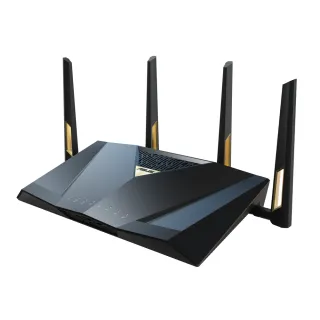
ASUS RT-BE92U vs RT-BE88U
The short answer
Buy the RT-BE88U if your network is mostly wired. It costs $60 more and drops the 6 GHz radio entirely, and in exchange it is the better machine everywhere a cable is involved: ten Ethernet ports against five, two 10 Gig ports against one, an SFP+ cage for fibre, twice the RAM, and a 2.6 GHz CPU against 2.0. Its 5 GHz and 2.4 GHz radios are also both faster than the RT-BE92U's. Buy the RT-BE92U if you want 6 GHz — it is the only one of the two with the radio, and no amount of wired capability substitutes for a band your devices are asking for. This pair is unusually clean: one is a wireless decision, the other is a wiring decision, and the price does not tell you which is which.
| Specification | ASUSRT-BE92U | ASUSRT-BE88U |
|---|---|---|
| Price | ||
| Starting price | $289.99 | $349.99 |
| Wi-Fi | ||
| Wi-Fi standard | Wi-Fi 7 | Wi-Fi 7 |
| Bands | Tri-band | Dual-band |
| Speed class | BE9700 | BE7200 |
| All bands combined | 9,678 Mbps | 7,140 Mbps |
| Available to clients | 9,678 Mbpshigher | 7,140 Mbps |
| Fastest single band | 5,764 Mbps | 5,764 Mbps |
| Radios | ||
| 2.4 GHz | 1,032 Mbps3 streams · 40 MHz | 1,376 Mbpshigher4 streams · 40 MHz |
| 5 GHz | 2,882 Mbps2 streams · 160 MHz | 5,764 Mbpshigher4 streams · 160 MHz |
| 6 GHz | 5,764 Mbps2 streams · 320 MHz | — |
| Wired & ports | ||
| Internet (WAN) port | 10 Gbps | 10 Gbps |
| 10 Gigabit ports | 1 | 2higher |
| 2.5 Gigabit ports | 4 | 4 |
| Gigabit ports | 0 | 4higher |
| USB ports | 1 | 1 |
| Uplink & power | ||
| Ethernet WAN | Yes | Yes |
| Processor & build | ||
| Weight | — | 1,060 g |
| Dimensions | 247.18 × 101.59 × 287.47 mm | 300 × 188 × 60.5 mm |
| Volume | 7,219 | 3,412 |
| Processor | Quad-core 2.0 GHz | Quad-core 2.6 GHz |
| Memory | 1 GB | 2 GBhigher |
| Storage | 256 MB | 256 MB |
| Antennas | 4 | 4 |
| Features | ||
| VPN | ||
| WireGuard server | Yes | Yes |
| WireGuard client | Yes | Yes |
| OpenVPN server | Yes | Yes |
| OpenVPN client | Yes | Yes |
| IPsec VPN | Yes | Yes |
| VPN passthrough | Yes | Yes |
| Firmware | ||
| SSH access | Yes | Yes |
| Automatic firmware updates | Yes | Yes |
| Wi-Fi features | ||
Multi-Link Operation (MLO)What is Multi-Link Operation (MLO)?Worth comparing29 of 79 listed here A Wi-Fi 7 device uses two bands at the same time over one connection, instead of picking one and living with it. Look at instead: whether your phone and laptop are Wi-Fi 7 — nothing older can use this Full entry → | Yes | Yes |
OFDMAWhat is OFDMA?Table stakes50 of 79 listed here Splits a channel into smaller slices so several devices are served in the same instant instead of taking turns. Look at instead: streams per radio and channel width — those set the ceiling OFDMA divides up Full entry → | Yes | Yes |
MU-MIMOWhat is MU-MIMO?Table stakes46 of 79 listed here Lets the router hold separate conversations with several devices at once using different antenna streams. Look at instead: the stream count on each radio — a 4×4 radio has twice the streams of a 2×2 to hand out Full entry → | Yes | Yes |
BeamformingWhat is Beamforming?Table stakes37 of 79 listed here Shapes the signal toward where a device actually is, rather than radiating evenly in every direction like a bare bulb. Look at instead: where you physically put the router — placement beats every antenna trick on this list Full entry → | Yes | Yes |
160 MHz channelsWhat is 160 MHz channels?Table stakes47 of 79 listed here A double-width channel that roughly doubles throughput when the airwaves are clear enough to sustain it. Look at instead: whether the band has room for it — on 5 GHz that almost always means DFS Full entry → | Yes | Yes |
320 MHz channelsWhat is 320 MHz channels?Worth comparing23 of 79 listed here Wi-Fi 7's double-again channel width, available only on 6 GHz, where there is finally enough spectrum to fit it. Look at instead: whether you own 6 GHz devices, and whether they will be in the same room as the router Full entry → | Yes | No |
| Networking | ||
| Link aggregation | — | Yes |
| Dual WAN | Yes | Yes |
| Cellular failover | Yes | — |
| QoS | Yes | Yes |
| Dynamic DNS | Yes | Yes |
| Access point mode | Yes | Yes |
| Wired backhaul | Yes | — |
| Security | ||
| WPA3 | Yes | Yes |
| Built-in threat protection | Yes | Yes |
| DNS over TLS | Yes | Yes |
| Management | ||
| Parental controls | Yes | Yes |
| Guest network | Yes | Yes |
| Mobile app management | Yes | Yes |
| Local web UI | Yes | Yes |
| Traffic monitoring | Yes | Yes |
| Hardware | ||
| USB storage sharing | Yes | Yes |
| SFP+ port | — | Yes |
| Wall mountable | Yes | — |
| About | ||
| Type | Router | Router |
— means the manufacturer doesn’t publish that figure. In the features rows it means the feature isn’t listed — not that the product lacks it. A No is an absence we checked.
The more expensive router has fewer bands
The RT-BE88U is $350 and dual-band. The RT-BE92U is $290 and tri-band. ASUS rates them BE7200 and BE9700, so on the box the cheaper one wins on both count and headline number.
That is not an error in either the pricing or the naming. They are built for different problems.
| RT-BE92U ($290) | RT-BE88U ($350) | |
|---|---|---|
| 2.4 GHz | 1032 Mbps (3 streams) | 1376 Mbps (4 streams) |
| 5 GHz | 2882 Mbps (2 streams) | 5764 Mbps (4 streams) |
| 6 GHz | 5764 Mbps (2 streams) | — |
Per band, the RT-BE88U wins everything it has. Its 5 GHz radio is twice the RT-BE92U's, and its 2.4 GHz radio is a third faster. What it does not have is a 6 GHz radio, and that single absence is what puts its total below.
The RT-BE88U is a wired router
This is the case for it, and it is a strong one.
- Ten Ethernet ports: four gigabit, four 2.5 Gbps, and two 10 Gbps. The RT-BE92U has five — four 2.5 Gbps and one 10 Gbps.
- An SFP+ cage, so a fibre transceiver goes straight into the router without a media converter in between. Nothing else in this pair offers that.
- 2 GB of RAM against 1 GB, and a 2.6 GHz CPU against 2.0 GHz. Both matter when you are actually pushing multi-gig traffic through NAT or a VPN, which is exactly what someone buying ten ports intends to do.
If you are wiring a house, running a NAS, feeding switches in other rooms, or terminating fibre, the RT-BE88U is doing a job the RT-BE92U cannot do at any price.
The RT-BE92U is a wireless router
Its case is narrower and just as real: it has a 6 GHz radio with 320 MHz channels, and the RT-BE88U does not. For a recent phone, laptop or headset, that is the fastest and least contended connection in the building.
The RT-BE88U's lack of 320 MHz channel support is a consequence of having no 6 GHz radio, not an omission in ASUS's documentation, which is why the table marks it as a verified absence rather than leaving it blank.
The RT-BE92U also lists cellular failover and being wall mountable. Failover is the one that might decide a purchase — a USB modem as a backup WAN is worth more than a radio if your connection dropping costs you anything.
What they share
Almost all the software. WireGuard and OpenVPN in both directions, IPsec, SSH, VLAN-capable networking, dual WAN, QoS, dynamic DNS, AiMesh via wired backhaul, a local web UI, and AiProtection — which ASUS includes for the life of the router rather than charging annually for, and which is the same on both.
Both have a 10 Gbps WAN port and four 2.5 Gbps ports. Both have one USB port. Both have four antennas and 256 MB of flash.
The honest recommendation
Answer one question and the decision makes itself: is your bottleneck a cable or a radio?
Wiring a house, or terminating fibre, or moving files between machines on a switch — buy the RT-BE88U and accept that you have a dual-band router. You are paying $60 for six more Ethernet ports, an SFP+ cage, double the RAM, a faster CPU, and a 5 GHz radio twice as quick.
Buying for laptops and phones, especially recent ones — buy the RT-BE92U, save the $60, and get the 6 GHz band the other router does not have.
The trap here is reading BE9700 against BE7200 and concluding the cheaper router is simply better. On every band both of them have, it is the slower one.