TP-LinkWi-Fi 6E router
TP-Link Archer AXE75
Retailer links may be affiliate links — we may earn a commission. Specs and rankings are never affected by them.
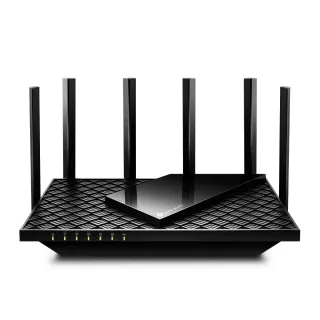
- Wi-Fi 6EWi-Fi standardTri-band · AXE5400
- 2,402MbpsFastest band5,378 Mbps across all bands
- 2.5GbpsInternet portMax WAN speed
- 5portsWired Ethernet1× 2.5 Gigabit · 4× Gigabit
Key capabilities
- WireGuard VPN
- Parental controls
- Guest network
- WPA3 security
OpenWrt
No support found. Checked against OpenWrt's own Table of Hardware, which carries no qualifying row for this model. That is a weaker statement than "this router cannot run OpenWrt" and a much stronger one than silence.
No ToH row for any current TP-Link entry. The TP-Link models OpenWrt does cover are older Archer C-series, not this lineup.
Checked 2026-08-06. How every router here was checked.
Specifications
Wireless
- Standard
- Wi-Fi 6E
- Bands
- Tri-band
- Speed class
- AXE5400
- Fastest band
- 2,402 Mbps
- All bands combined
- 5,378 Mbps
Connectivity
- Uplink
- Ethernet
- Internet port
- 2.5 Gbps
- Wired ports
- 1× 2.5 Gigabit · 4× Gigabit
- Port map
- USB ports
- 1
Hardware & physical
- Form
- Single unit
- Dimensions
- 272.5 × 147.2 × 49.2 mm (1,974 cm³)
- Power
- DC power adapter
- Model number
- Archer AXE75
Manufacturer details
- Processor
- 1.0 GHz Dual-Core CPU
- Antennas
- 6
- Power
- 12 V/2.5 A
- USB
- 1× USB 2.0 Port
Radios
| Band | Max link | Streams | Channel width |
|---|---|---|---|
| 2.4 GHz | 574 Mbps | 2×2 | 40 MHz |
| 5 GHz | 2,402 Mbps | 2×2 | 160 MHz |
| 6 GHz | 2,402 Mbps | 2×2 | 160 MHz |
All features · 21
VPN
- WireGuard server
- WireGuard client
- OpenVPN server
- OpenVPN client
Firmware
- Automatic firmware updates
Wi-Fi features
- OFDMA
What is OFDMA?
Table stakes50 of 79 listed here
Splits a channel into smaller slices so several devices are served in the same instant instead of taking turns.
Look at instead: streams per radio and channel width — those set the ceiling OFDMA divides up
Full entry → - Beamforming
What is Beamforming?
Table stakes37 of 79 listed here
Shapes the signal toward where a device actually is, rather than radiating evenly in every direction like a bare bulb.
Look at instead: where you physically put the router — placement beats every antenna trick on this list
Full entry → - Band steering
What is Band steering?
Depends on your setup16 of 79 listed here
Nudges a device onto the faster band when it would otherwise settle on the slow one and stay there.
Look at instead: whether the router lets you split the bands into separate networks — some devices need that
Full entry → - DFS channels
What is DFS channels?
Depends on your setup18 of 79 listed here
Extra 5 GHz channels shared with weather and military radar, which the router must abandon the moment it hears one.
Look at instead: whether your neighbourhood is actually congested, and whether the router lets you turn DFS off
Full entry → - 160 MHz channels
What is 160 MHz channels?
Table stakes47 of 79 listed here
A double-width channel that roughly doubles throughput when the airwaves are clear enough to sustain it.
Look at instead: whether the band has room for it — on 5 GHz that almost always means DFS
Full entry → - EasyMesh
What is EasyMesh?
Depends on your setup8 of 79 listed here
An industry standard for mesh, so nodes from different brands can form one network instead of locking you to one vendor.
Look at instead: whether you will genuinely mix brands — most people buy a matched kit and never revisit it
Full entry →
Networking
- QoS
- Dynamic DNS
- Access point mode
Security
- WPA3
- Built-in threat protection
Management
- Parental controls
- Guest network
- Mobile app management
- Local web UI
Hardware
- USB storage sharing